
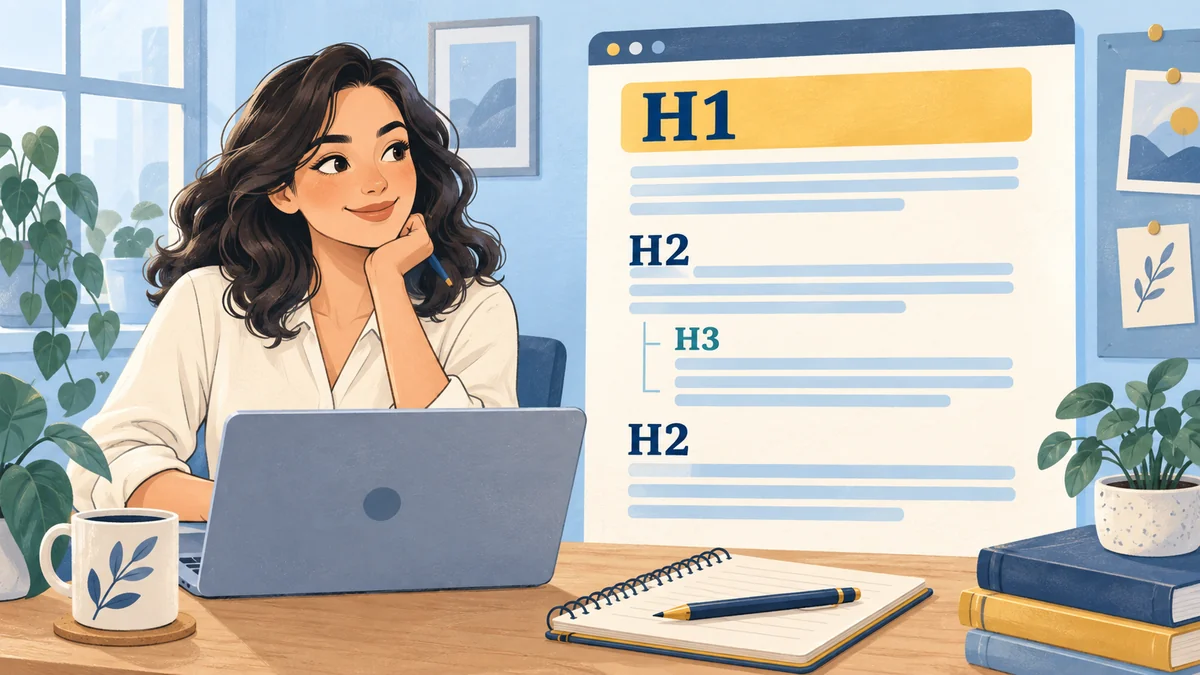
Headings organize a page so readers can understand its main subject, scan its sections, and find the explanation they need. A practical approach is to use an H1 for the page’s main heading, H2 headings for major sections, and H3 headings for subsections within those sections. Choose each level because of its place in the outline, rather than because of its default font size.
For a business owner or an SEO beginner, this is a useful editing skill because it connects content planning with the experience of reading a finished page. This guide shows how to build a meaningful heading structure, apply it in WordPress, and check it without turning ordinary writing into a rigid formula.
What H1, H2, and H3 mean
HTML heading levels describe the organization of content. An H1 identifies a top-level heading, while H2 and H3 represent progressively deeper levels. The number is about hierarchy. It does not tell you how important a keyword is, how many times a phrase should appear, or how large the text must look.
Think of a guide as a short book. Its main title names the subject, its major sections divide the explanation, and its subsections explore parts of those sections. Someone reading only the headings should still be able to describe the article’s overall direction and locate a relevant part.
The W3C guidance on headings explains their role in communicating page organization. That is especially useful for people who navigate by heading rather than reading every line in sequence. A visually attractive page still needs a meaningful underlying structure.
Separate the article outline from the page design
A large bold sentence is not necessarily a heading. A designer can style a paragraph to look like a title, or make an actual heading quite small. If you choose formatting entirely by appearance, the page can look organized while its underlying outline remains confusing.
Decide what each element means first. If a sentence introduces a major section, give it an appropriate heading level. Then use your theme’s typography settings to control size, spacing, weight, and color. If the H2 looks too large on mobile, fix the styling rather than changing it to an H4 simply to make it smaller.
The reverse also matters. A short promotional statement does not automatically need a heading tag because it should stand out. Depending on its role, ordinary text with emphasis may be more appropriate. Meaning and appearance should support each other, but they are separate editing decisions.
Give the page one clear main heading
For a typical article, one clear main H1 is a straightforward editorial convention. It makes the page’s primary subject obvious and gives the rest of the outline a useful starting point. The H1 should describe what the article actually helps the reader understand or do.
This is not a claim that every page with multiple H1 elements receives a search penalty. The more practical question is whether the structure is clear. If several unrelated elements all look like competing main titles, simplify the template and make the content hierarchy easier to follow.
For a guide about preparing a service page, “How to Plan a Service Page for Your Business” is more informative than “Everything You Need.” The specific heading helps a visitor confirm that they have reached the right resource without having to infer its purpose from the introduction.
Check whether WordPress already outputs the H1
Many WordPress post templates display the post title as the article’s main heading. Before adding another H1 inside the body, preview a representative post and check how the template handles the title. Otherwise, you may accidentally display the same title twice.
In that common setup, the title belongs in the post title field, the introduction begins with ordinary paragraph blocks, and the first major body section uses an H2. The correct approach depends on the template, so do not assume that every site behaves identically.
If the title is hidden or its markup is wrong, investigate the template rather than inserting workarounds into every article. A template-level correction is easier to maintain across a growing blog. It also helps prevent different posts from developing inconsistent heading conventions over time.
Plan H2 sections around the reader’s main questions
An H2 should introduce a substantial part of the explanation. Start by listing what the reader must understand to complete the article’s task. For a guide to choosing a local service provider, those sections might cover requirements, scope, quote comparison, and questions to ask before agreeing to work.
Arrange the sections in the order that makes the decision easier. Definitions may come before comparisons, and prerequisites may come before instructions. A troubleshooting guide might instead begin with symptoms and then move through possible causes. There is no single outline that works for every kind of page.
Avoid making every sentence its own section. When a heading introduces only a brief statement that belongs naturally in the preceding paragraph, the extra division can interrupt the explanation. Sections should make the article easier to use, not simply make the page look longer.
Use H3 for a real subdivision of an H2
An H3 belongs beneath a broader H2 topic. For example, an H2 called “Compare the service proposals” could contain H3 subsections for “Check the included work,” “Review the payment terms,” and “Confirm the maintenance responsibilities.” Each subsection develops part of the same larger task.
Before adding an H3, ask whether it is a child of the current H2 or a separate major section. If it introduces a new stage of the process, an H2 may be more appropriate. If it only adds a short clarification, an ordinary paragraph may be enough.
You do not need H3 headings in every article. A focused guide can have a clear H1 and a sequence of well-developed H2 sections. Add another level when it improves navigation within a substantial section, rather than to satisfy an imagined SEO requirement.
A practical heading outline for a business guide
Imagine a hypothetical landscaping business publishing a guide about preparing a yard for a consultation. The guide’s purpose is to help a homeowner gather useful information before speaking with a professional. Its headings should follow that preparation task rather than repeatedly advertise the business.
The outline below shows how levels relate to one another. These are examples of headings inside a single guide, not suggestions to create separate articles for every row. Several of the subsections are useful because they organize related preparation details under one broader stage.
| Level | Example heading | Relationship |
|---|---|---|
| H1 | How to Prepare for a Landscaping Consultation | Main subject of the guide |
| H2 | Document your yard’s current condition | First major preparation stage |
| H3 | Photograph the areas you want to change | Part of documenting the condition |
| H3 | Note drainage and access concerns | Another part of the same stage |
| H2 | Define your priorities before the meeting | Next major preparation stage |
| H3 | Separate essential work from optional ideas | Part of setting priorities |
Write headings that make sense when scanned
A heading should communicate enough meaning to be useful outside its surrounding paragraph. “What to prepare before your consultation” is clearer than “Get ready.” “Compare what each quote includes” tells the reader more than “Compare carefully.” Specific wording helps someone choose where to spend their attention.
Read the complete outline without the body paragraphs. Can you understand the sequence? Are two headings nearly interchangeable? Does one section promise something the body does not explain? This quick review often reveals structural problems before you spend time polishing individual sentences.
You can still use a warm, natural voice. Clear headings do not need to sound mechanical or academic. The goal is to remove ambiguity, especially on mobile, where visitors may scan the page rapidly before deciding which section deserves a closer read.
Use topic language without repeating the same keyword
Include the subject naturally where it helps describe a section. You do not need to force the exact primary keyword into every H2 and H3. Repetition can make headings less informative because the words that distinguish the sections become harder to notice.
For an article about a service consultation, headings such as “Photograph the problem areas” and “List your priorities and constraints” can be clearer than repeatedly beginning each section with the full phrase “service consultation preparation.” The surrounding page already establishes the overall topic.
A useful editing test is to remove repeated introductory wording and check whether each heading becomes clearer. Keep the main subject where necessary for understanding, but let the rest of the outline describe the actual steps, decisions, and questions within the guide.
Match question headings to answers that deliver
Question headings work well when the reader is likely to ask that question and the following section answers it directly. A heading such as “Do you need photos before the consultation?” should begin with a useful answer, followed by any conditions, examples, or instructions that make the answer practical.
Do not add a long FAQ section simply to repeat the article’s existing sections in different wording. If the main body already answers a question thoroughly, keep that answer where it fits best. Reserve additional questions for distinct uncertainties that remain after the main explanation.
This also helps control scope. A heading that requires an entirely different guide may deserve a short explanation and a relevant link instead of a large detour. The outline should remain focused on the promise made by the page’s main title.
Apply the structure with native WordPress blocks
In the WordPress block editor, use a Paragraph block for ordinary explanations and a Heading block for section headings. Select the appropriate level in the heading controls. Avoid typing raw heading markup into paragraph blocks or using bold text as a substitute for semantic structure.
After writing the outline, review the editor’s document overview where available. Check that major sections use the same level and that subsections sit beneath the relevant parent. Then preview the post because the editor’s appearance may differ from the published template, especially on smaller screens.
You should be able to revise the wording without rebuilding the layout. Native content blocks make routine editing more straightforward and help maintain consistency across posts. Keep decorative design choices in the theme whenever possible so the article remains an understandable document.
Review mobile spacing and line breaks
A structurally correct heading can still be uncomfortable to read if its styling is oversized or cramped. Preview the page on a narrow screen and check whether headings wrap into many short lines, collide with surrounding content, or leave excessive gaps between related paragraphs.
First remove unnecessary words from the heading. If the wording is already clear and concise, adjust the responsive typography rather than weakening the meaning. A readable line height, sensible width, and consistent spacing can improve the experience without changing the heading level.
Do not insert manual line breaks purely to make one screen size look balanced. Those breaks may produce awkward results on other devices. Let the layout wrap naturally unless there is a specific design reason that has been checked across the relevant screen sizes.
Check headings within the whole page
The article body is only part of a website page. Navigation, sidebars, related-post sections, and footer areas may also contain headings. Review the complete rendered page when the outline looks strange, because the cause may be in a reusable template rather than in the article.
For example, a newsletter promotion styled as a top-level title might compete visually with the article heading. A related-post widget might repeat the current post title. These issues require a template or widget review, not a rewrite of otherwise sensible body sections.
Prioritize clarity in the main content while keeping supporting areas understandable. A consistent template reduces repeated cleanup work and gives readers a familiar structure as they move between articles on the same website.
How many headings should a blog post have?
Use as many as the explanation needs to remain understandable and navigable. A short answer may need only a few sections. A substantial tutorial may need more, especially when it includes prerequisites, multiple stages, and troubleshooting. Word count alone is not a useful formula for deciding the number.
Review the balance between headings and developed content. If every section contains a single thin sentence, combine related points and explain them properly. If a long section covers several different subtopics, consider meaningful H3 divisions that help readers find what they need.
The aim is a useful reading experience. A heading count should never become a reason to add repetitive sections, divide coherent paragraphs unnecessarily, or remove an important explanation just to make the outline look symmetrical.
Do better headings guarantee better rankings?
No. A clear outline can improve how people understand and navigate the page, but it does not guarantee a particular search position. The page still needs a useful answer, a relevant purpose, accurate information, and a working experience. Heading changes cannot compensate for content that fails to address the reader’s task.
If a page receives little traffic, do not immediately assume its H2 wording is the cause. Investigate the broader situation, including the audience, topic fit, and whether the content provides enough value. The guide on why content is not getting traffic can help frame that review.
For your next article, begin with a plain outline, check the parent-child relationships, and read each section against its heading. If you want feedback on a real page, one-on-one SEO coaching with Marium can help you practice those decisions and understand the reasoning behind them.